
Step 1
Enter a room
Join public rooms or private spaces with your team/friends. Set your objective before you start.
Buggyverse helps you turn intention into completed work through live focus rooms, timers, accountability, and measurable execution loops.
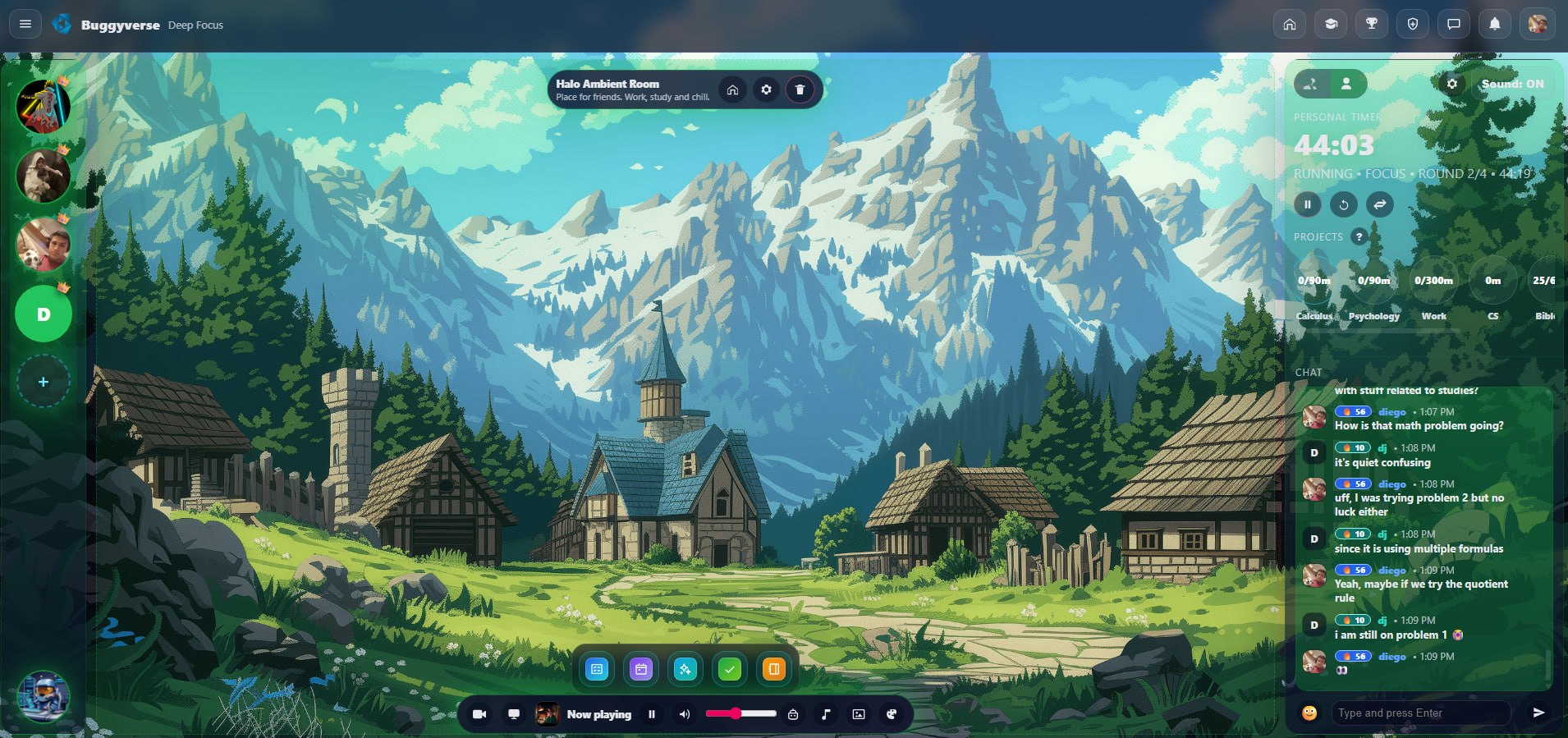
Simple enough to repeat daily, structured enough to produce real output.
Join public rooms or private spaces with your team/friends. Set your objective before you start.
Use focus timers, project trackers, and task windows to protect deep work time.
Presence, room flow, and visible progress make it easier to finish what you started.
Close with outcomes, not intentions. Then launch the next block with momentum.
Everything is designed to keep you in motion: less context switching, more finished work.
From here, you launch the tools that keep you productive: planning, tasks, habits, and execution workflows — all in one place.

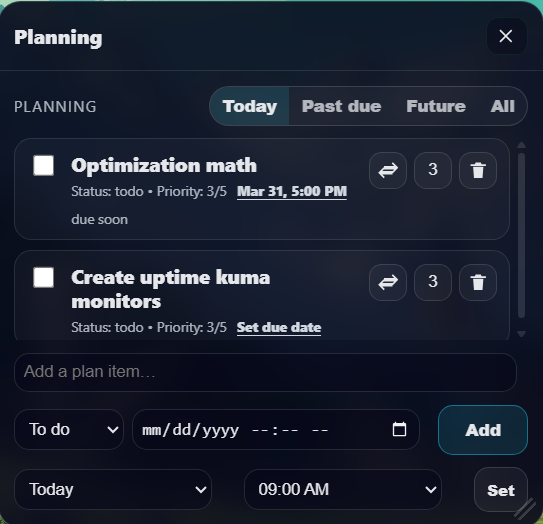
Build an execution queue you can actually finish, with priorities, due dates, and a clean room-native workflow.
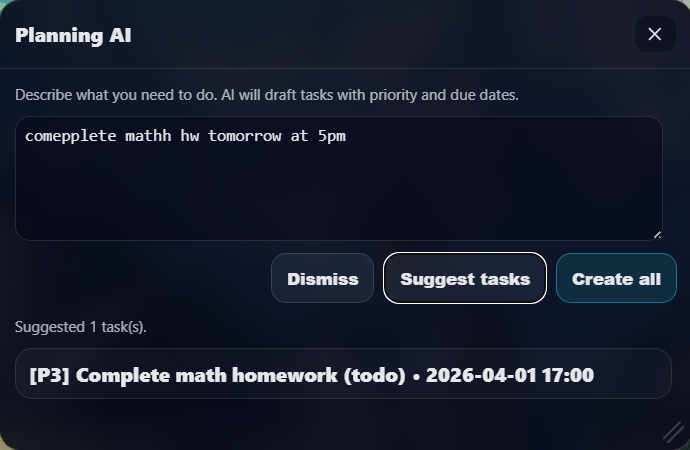
Generate practical task breakdowns from your objective and turn them into executable steps in one flow.
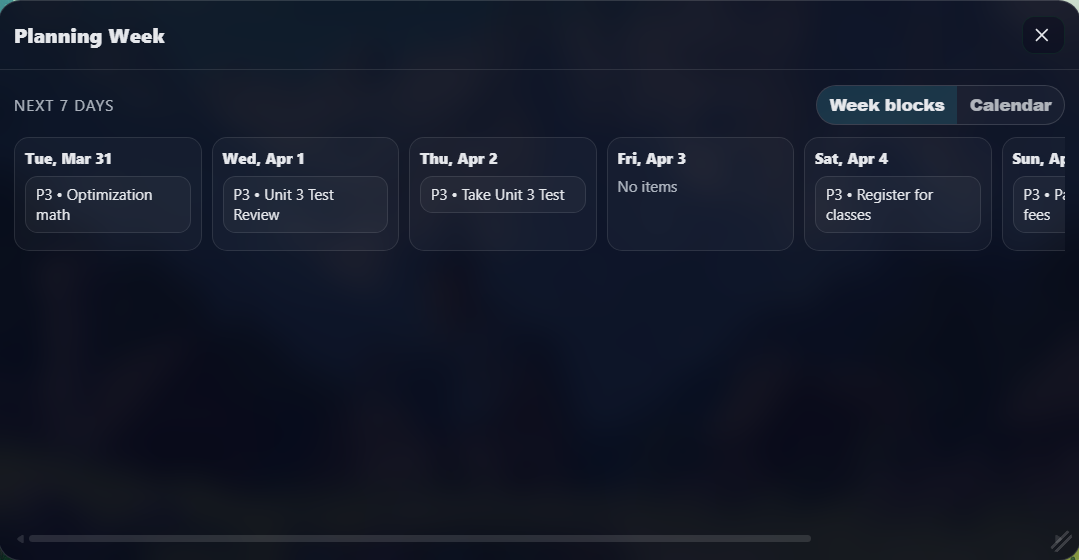
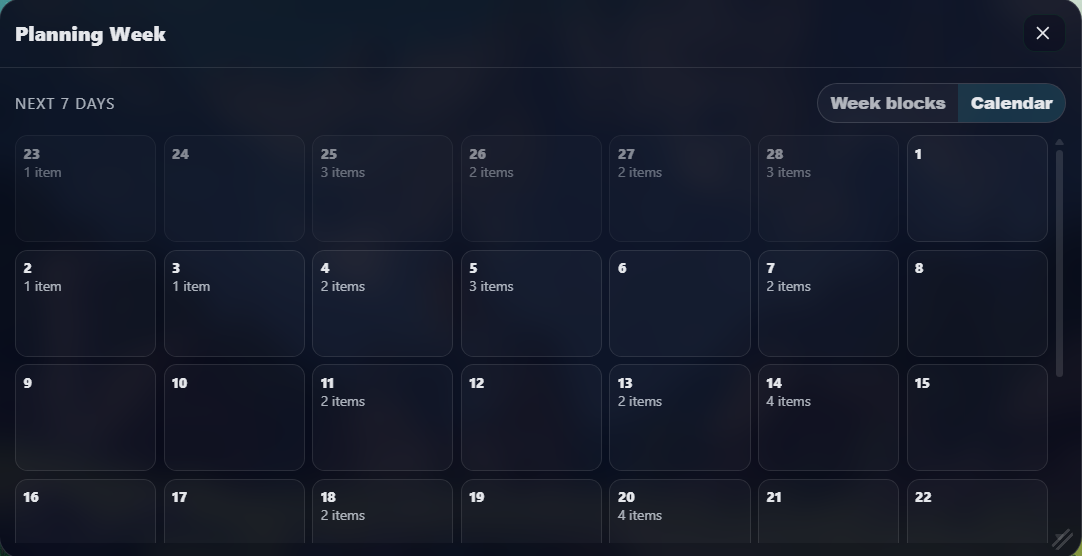
Plan your week visually, then execute each day with less context switching and better workload balance.
Make commitments visible across days so your output stays consistent, not reactive.
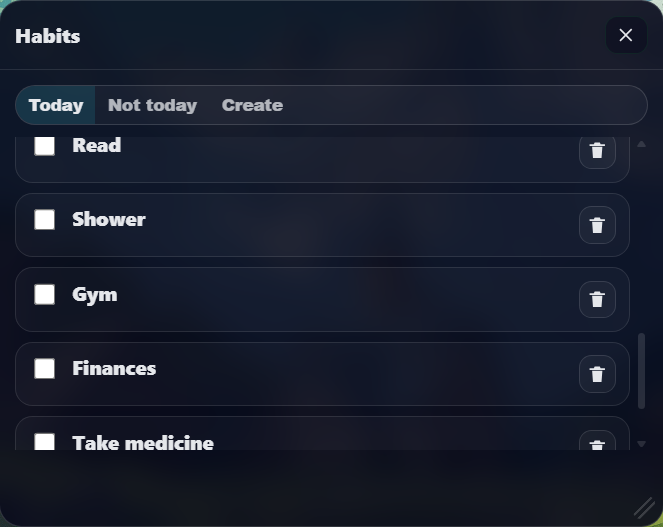
Attach behavior to your schedule so daily execution becomes automatic over time.
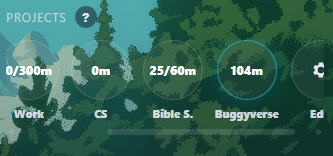
Keep project context attached to active focus sessions so time spent maps to real output.
Join a room and run your next deep-work block now.
Quick answers before you start.
No. Camera is available for accountability, but you can use the platform with your own preferred setup.
Yes. Private rooms support invite-based access so your team can focus without interruptions.
No. It works for students, developers, creators, and anyone who needs consistent focused execution.
Use project/timer tracking and periodic reports to monitor output and stay aligned with your goals.